Mozilla Firefox browser comes with a completely new design to simplify your online sessions even more, without losing sight of privacy.
Mozilla said it analyzed 17 billion user clicks to see which sections of the browser they use the most to access their favorite sites. The research showed that tabs (43% of all clicks), search bar (33%), and bookmarks (5%) are by far the most visited sections of the browser. Mozilla also concluded that there are still significant cultural differences between how Internet users around the world use their browsers. You can read more about it in this blog post, we are limited to the new design of Mozilla Firefox browser.
The new design focuses on those parts that get the most clicks, and simplifies them for a smoother browsing session. “We live in a tough time. In all this frenetic pace, make the browser a program people can rely on and relax,” the company wrote in the blog. Many of the changes will remain invisible, such as faster load times, but also Firefox will visually look more streamlined and modern after an update. These are the highlights of Mozilla Firefox.
Mozilla Firefox: What’s new?
1. Faster navigation
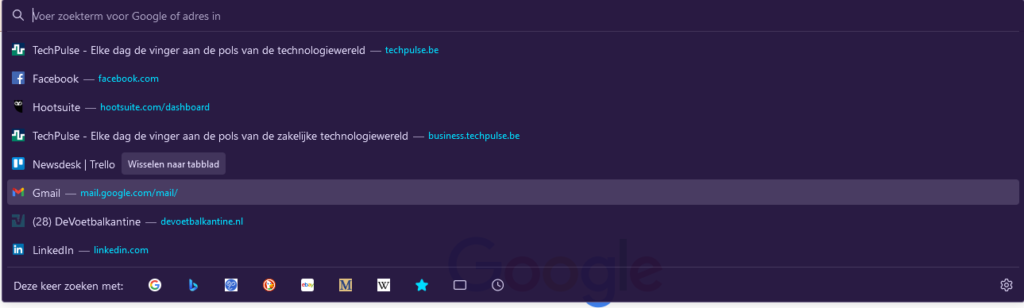
The search bar is the GPS that guides you across the Internet. Going to a website shouldn’t require more than typing a url and hitting the enter key. Firefox adds a few small things to make the search bar functionality faster. Put your cursor in the search bar and you will get a list of the most visited web pages. You can decide if you want to stick with a new search functionality in Firefox or use another search engine like DuckDuckGo. Privacy Shield warns you about cookie trackers when browsing a website.
2. Sober menu
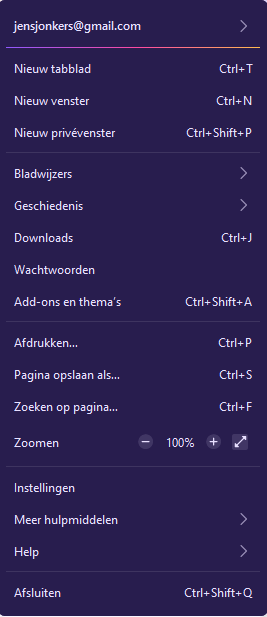
less is more; This is the logic Mozlla used when redesigning the Settings menus. Unnecessary visual elements have been removed to make menus appear more visible. This way you will find what you are looking for faster.
3. More recent tabs
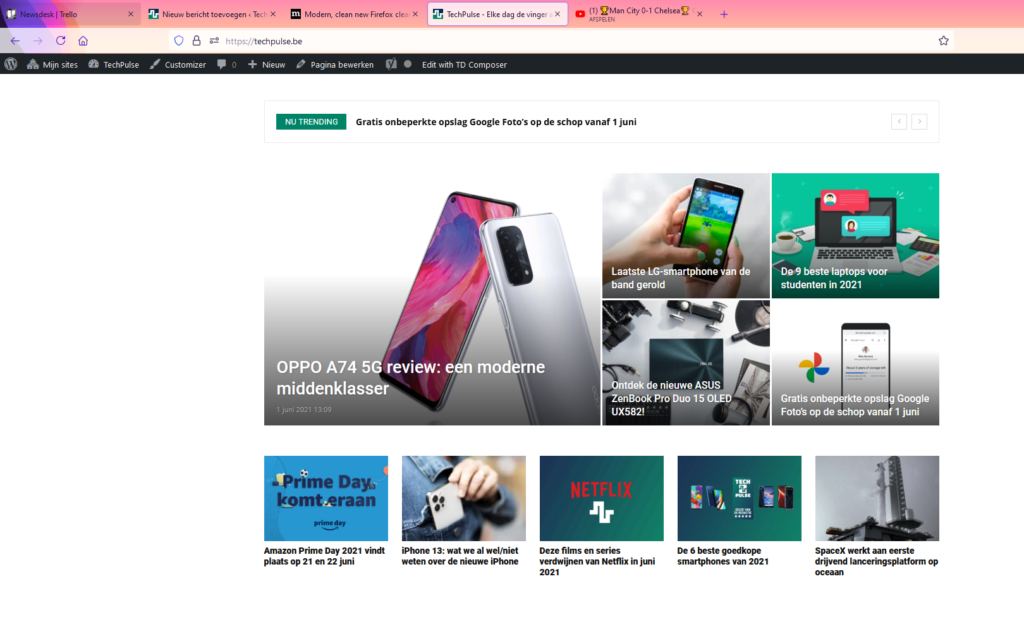
Firefox has found tabs to be the most used by the average Internet user. On average, we will have four tabs open during a browsing session. Therefore, Firefox has treated the tabs visually to make them look more visible. If you open a YouTube video, Firefox will display it in the tab list when you’re on another page. Autoplay of any subsequent video will also be blocked until you click on the tab.
4. Fewer notifications
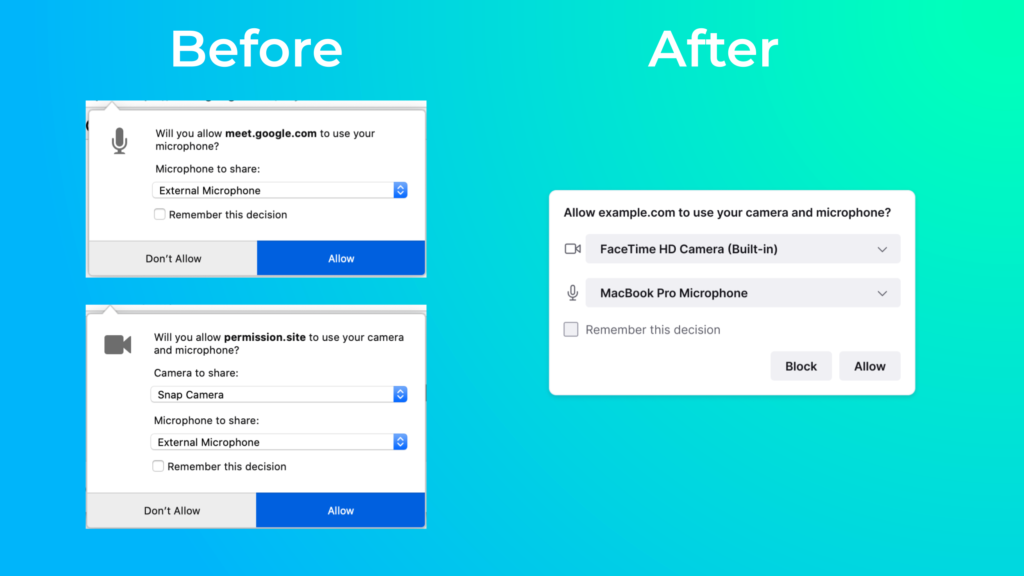
Nothing is more annoying than being overloaded with notifications. In Firefox, you already have the option to disable popups for many pages, but there are some notifications that you can’t escape. Just consider joining an online Zoom or Google Meet meeting where you always have to indicate which camera and microphone you are going to use. I used to get two popups for that, now only one.
These innovations apply to all platforms compatible with Firefox. Separate tweaks have been made for the iOS version to further customize the browser for Apple’s operating system design.
Get started with the new design of Firefox
The new design is available today for desktop and mobile. Go to your browser settings via the hamburger menu. Here you can download the new Firefox 89 update. Restart your browser and the new Firefox is installed. After installing the update, you can also give your browser a new color theme. Would you choose the dark mode, or could it have a little more color? You can of course always change this afterwards via a file Add-ons and feature list. what do you think of the new design? Let us know in the comments.